
STEP BY STEP GUIDE
How to Install a Shopify App from the App Store
Follow these simple steps to find, install and set up your favorite Shopify app from the Shopify App Store. It only takes a few minutes!
✓ Quick & Easy
✓ No Coding Needed
✓ Start in Minutes

 Your wishlist data stays protected. Learn more →

01
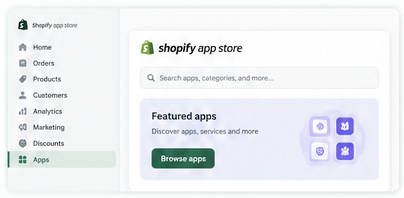
Go to the Shopify App Store
From your Shopify admin, click on Apps > Visit Shopify App Store or simply go to apps.shopify.com in your browser.

Tip
You can also search for the app directly using the search bar on the App Store.
02
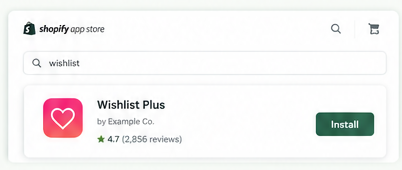
Search for Your App
Use the search bar to find the app you want to install.
For example, type “Wishlist”, “Email Marketing” or the name of the app you need.
03
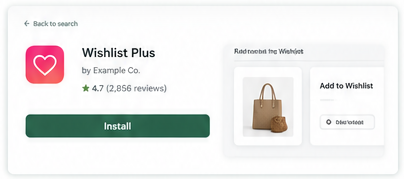
Click on Install
Once you find the app, click on the Install button.You may need to confirm a few permissions.
Tip
Make sure you’re installing the app from the official Shopify App Store to keep your store safe.
04
Set Up the App
After installation, click on Open to start setting up the app.You’ll be redirected to the app’s setup page where you can configure the settings as per your needs.

05
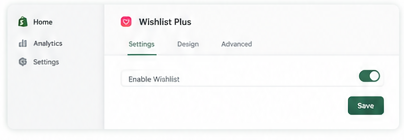
Configure the Settings
Customize the app settings, design, and features according to your store’s needs. Don’t forget to click Save after making changes.
06
All Set!
Your app is now installed and ready to use.Start exploring its features and make the most of it!