How Shopify Search Can Help Customers Find Products Faster
Imagine you walk into a store looking for a black jacket. You know roughly what you want, but there are hundreds of products around you. Would you rather spend 20 minutes walking through every section, or simply ask someone where the jackets are?
Online shopping works in much the same way.
When a customer visits a Shopify store, they may already know what they want. They might be looking for a particular product, color, brand, size, or even a specific type of item. If finding that product takes too long, there’s a good chance they’ll give up and leave.
That’s where Shopify search can make a real difference.
A simple search bar can help customers skip unnecessary browsing and get closer to the products they actually want. And for stores with large product catalogs, it can become one of the most useful parts of the shopping experience.
Why Does Store Search Matter?
Not every customer shops the same way.
Some people enjoy browsing collections and discovering new products. Others arrive with a very specific idea in mind.
For example, a customer might visit a clothing store and search for:
- Black oversized hoodie
- Linen shirt for men
- White sneakers
- Summer dresses
- Cotton trousers
They don’t necessarily want to open five different collections and scroll through page after page.
They want to type something into the search box and find it.
A good search experience makes that possible without making customers work harder than they need to.
Shopify Search Makes Product Discovery Easier
One of the biggest advantages of search is that it gives customers another way to navigate your store.
Let’s say your Shopify store sells 1,000 different products. Your navigation might be well organized, but a customer looking for one particular item could still have trouble finding it.
Search gives them a shortcut.
Instead of going from Men → Clothing → Shirts → Casual Shirts → Cotton Shirts, they can simply search for “men’s cotton shirt.”
That small difference can make the shopping experience feel much easier.
Customers Don't Always Search Using Your Product Name
This is something Shopify store owners often overlook.
You may call a product “Relaxed Fit Organic Cotton Tee,” but your customer might simply search for “cotton T-shirt.”
Or you might have a product called “Trail Runner X2,” while shoppers search for “running shoes.”
Customers don’t always know the exact names you’ve given your products. They search using the words that make sense to them.
That’s why your product titles and descriptions should be clear and descriptive.
You don’t need to stuff every possible keyword into a product page. Just make sure the information reflects how people would naturally describe the product.
Better Product Information Can Lead to Better Search Results
Think about your product page from a customer’s point of view.
If you’re selling a handbag, is it obvious from the product information that it’s a leather handbag? Does the description mention its size, color, style, and intended use?
The more useful and accurate your product information is, the easier it becomes to connect customers with relevant products.
Pay attention to things like:
- Product titles
- Product descriptions
- Product types
- Collections
- Variants
- Product tags
- Brand names
These details also become more important as your store grows.
Search Suggestions Can Save Customers Time
You’ve probably seen this while shopping online.
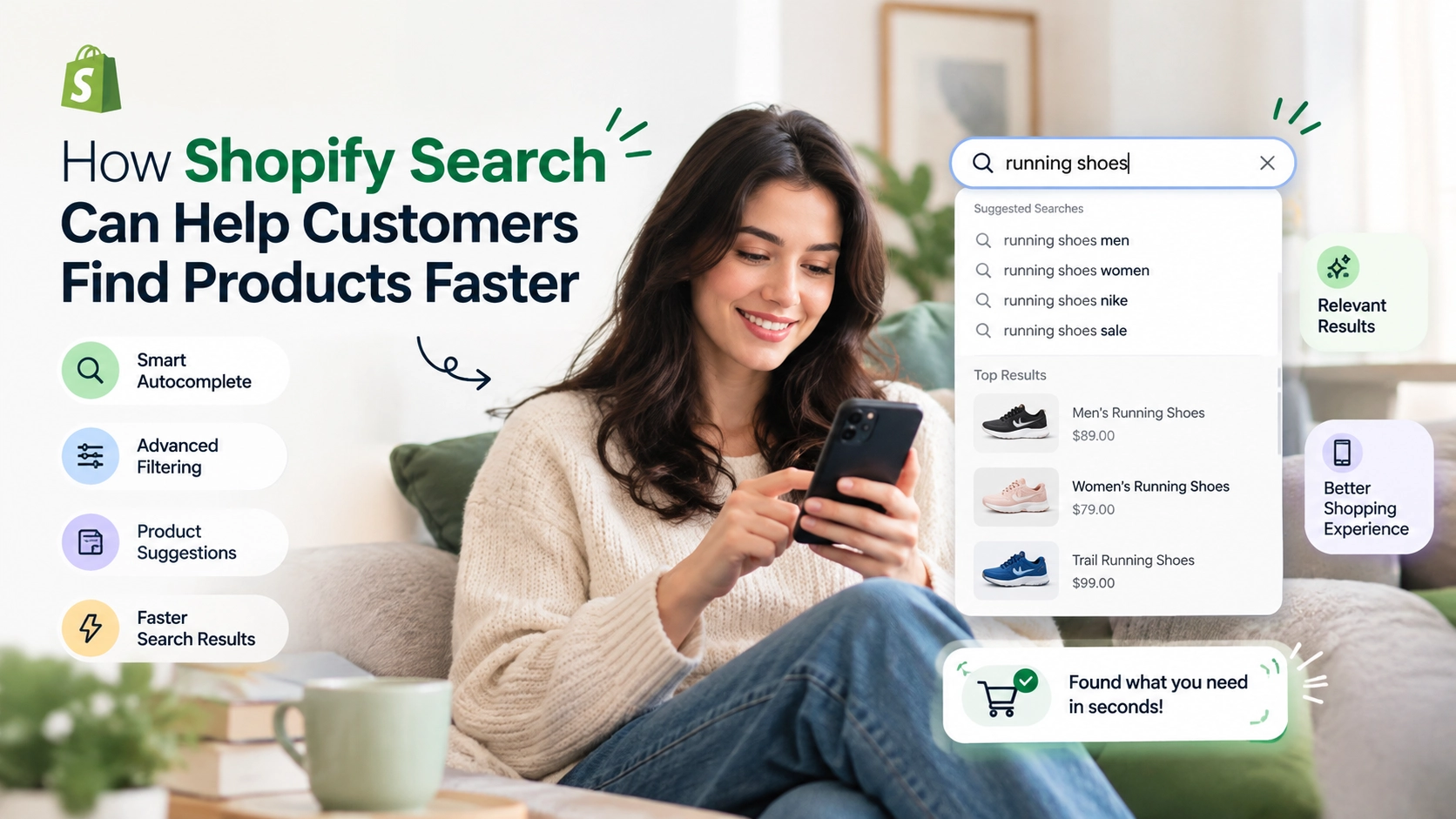
You start typing something into a search box, and before you’ve finished, the store starts showing suggestions.
For example, type “black dress” and you might see:
- Black maxi dress
- Black party dress
- Black summer dress
- Black midi dress
This is useful because customers don’t always know exactly what they want to search for.
Search suggestions can help them refine their idea and get to relevant products faster.
They can also introduce shoppers to categories or products they may not have considered.
Filters Make Search More Useful
Finding 200 products isn’t necessarily better than finding 20.
If a customer searches for “running shoes” and gets hundreds of results, they still have a lot of work to do.
Filters can help.
Depending on what you sell, customers may want to filter results by:
- Size
- Color
- Price
- Brand
- Availability
- Material
- Product type
For a fashion store, size and color might be important. For an electronics store, customers may care more about brand, specifications, or price.
The right filters depend on your products and your customers.
What About Customers Who Find Nothing?
This is where things can go wrong.
A customer searches for a product and sees:
“No results found.”
That’s a pretty easy point for them to leave your store.
But a failed search doesn’t have to be the end of the journey.
You can use that opportunity to show related products, popular items, alternative categories, or suggestions.
For example, if someone searches for “blue linen shirt” and you don’t have an exact match, showing other linen shirts or blue shirts may still help them find something they like.
The goal isn’t just to tell customers that their search failed. It’s to help them find another path.
Your Search Bar Should Work Well on Mobile Too
Don’t forget about mobile shoppers.
A search feature that works perfectly on desktop can still be frustrating on a phone if the search bar is difficult to find or the results are hard to browse.
Make sure customers can:
- Find the search bar easily
- Type comfortably
- See relevant results
- Apply filters without struggling
- Open product pages without unnecessary steps
It’s worth testing your store yourself on a phone. Try searching for a few products and see how the experience actually feels.
Search Data Can Tell You What Customers Want
There’s another reason to pay attention to Shopify search: your customers’ searches can give you useful information.
Suppose you notice that people repeatedly search for “blue formal shoes,” but your store doesn’t have a dedicated collection for them.
That’s something worth looking into.
Or perhaps customers keep searching for a product you already sell, but they aren’t finding it easily.
That could point to a problem with your product information, navigation, or search experience.
In other words, search isn’t just helping customers. It can also help you understand what they’re looking for.
Don't Forget About Your Store's Navigation
Does having a good search bar mean you don’t need menus and collections?
Not at all.
Search and navigation work best together.
Someone who knows exactly what they want may use search.
Someone who is just browsing might prefer to explore your collections.
For example, a customer looking for a specific pair of shoes may search for the product directly. Another customer who simply wants to see what’s new may click on your “New Arrivals” collection.
Giving customers both options lets them shop in the way that feels most natural to them.
A Few Simple Ways to Improve Shopify Search
You don’t necessarily need to make huge changes to improve product discovery.
Start with the basics:
Use clear product names.
Customers should understand what a product is without having to decode the title.
Write useful descriptions.
Describe the product in the same kind of language your customers would use.
Keep your catalog organized.
Clear collections, product types, and other product information can make a large catalog easier to manage.
Make search easy to find.
Don’t hide it where customers have to look for it.
Test different searches.
Try searching for categories, colors, brands, product types, and common phrases rather than only exact product names.
Look at searches that return no results.
They can show you where customers are struggling to find what they need.
The Bottom Line
A search bar might look like a small feature on a Shopify store, but for customers, it can save a lot of time.
People don’t always want to browse through every collection. Sometimes they already know what they’re looking for and just want to get there.
That’s why Shopify search should be treated as part of the overall shopping experience, not simply another feature added to the header.
Make it easy to find. Keep your product information clear. Give customers useful ways to narrow their results. And pay attention to what they’re searching for.
The easier it is for shoppers to find the products they want, the less effort they have to put into shopping on your store.
People Also Ask
1. What is Shopify search?
Shopify search helps customers find products in your store by entering keywords, product names, categories, brands, or other search terms.
2. Why is search important for a Shopify store?
Search gives customers a quicker way to find products without browsing through multiple collections and pages. This can make the shopping experience easier, especially for stores with large product catalogs.
3. How can I improve search results on my Shopify store?
Start with clear product titles, useful descriptions, organized product information, and relevant collections. You should also test different customer search terms to see whether the results are useful.
4. Can Shopify search help customers find products using different keywords?
Yes. Customers may search using terms that are different from your exact product names. Using clear and descriptive product information can help make products easier to discover.
5. Should I add filters to Shopify search results?
Filters can be particularly useful for stores with many products. Depending on what you sell, filters such as price, size, color, brand, and availability can help customers narrow down their options.
6. What should I do when a Shopify search returns no results?
Instead of showing only a “No results found” message, consider displaying related products, popular items, alternative categories, or search suggestions to give customers another way to continue shopping.
7. Is Shopify search important for mobile shoppers?
Yes. Customers should be able to find and use the search feature easily on mobile devices. Search results and filters should also be simple to browse on smaller screens.
8. Can Shopify search data help me understand what customers want?
Yes. Reviewing the terms customers search for can reveal popular products, common customer needs, and searches that aren’t producing useful results. These insights can help you improve your catalog and shopping experience.

About The Author
Akshita Dubey is an SEO Executive at eWebWorld with expertise in search intent analysis and content optimization. She focuses on creating user-centric content that simplifies complex technology topics, helping businesses and decision-makers understand web development, mobile apps, and digital solutions through clear, research-based insights.
Search
Popular Posts

Follow us

Recent Posts

About eWebWorld
eWebWorld is a Shopify and eCommerce development company in India with 10+ years of experience building and scaling online stores. We specialize in Shopify development, including store setup, customizations, theme development, migrations, integrations, and performance optimization. Through our expertise in eCommerce, technology, and digital marketing, we help businesses create better online experiences and achieve sustainable growth.