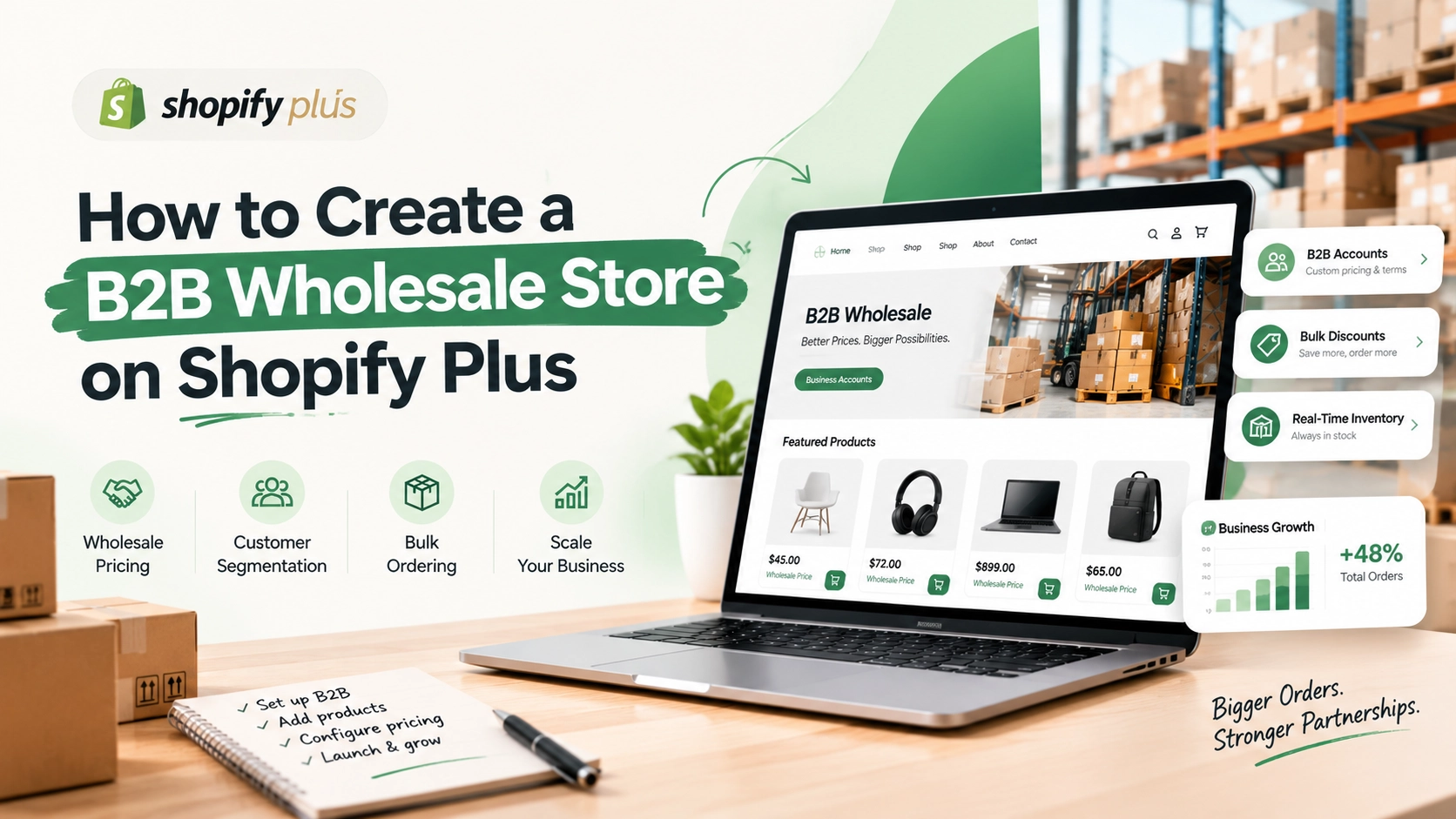
How to Create a B2B Wholesale Store on Shopify Plus
Selling to other businesses is different from selling directly to individual consumers. B2B buyers often place larger orders, require negotiated pricing, purchase products repeatedly, and expect a smoother purchasing process tailored to their business needs.
For brands that want to manage wholesale and B2B sales online, Shopify Plus provides tools designed to support more complex B2B commerce requirements while keeping the storefront and backend manageable.
But creating a B2B wholesale store is more than simply adding wholesale prices to an existing Shopify store. You need to structure your products, customers, pricing, payment terms, and ordering process around how business buyers actually purchase.
In this guide, we’ll explain how to create a B2B wholesale store on Shopify Plus, including the key setup steps, features, and considerations for building a scalable B2B ecommerce operation.
What Is a B2B Wholesale Store?
A B2B wholesale store is an online ecommerce store that allows businesses to purchase products from another business, usually in larger quantities or at specially negotiated prices.
Unlike a typical B2C store, a B2B wholesale store may need to support:
- Business-specific pricing
- Minimum order quantities
- Bulk purchasing
- Customer-specific catalogs
- Multiple buyers under one company
- Wholesale discounts
- Payment terms
- Purchase orders
- Tax and shipping requirements
- Repeat ordering
- Account-based purchasing
For example, a clothing manufacturer might sell products to hundreds of retail stores. Each retailer could have different pricing, product availability, payment terms, and purchasing requirements.
A properly configured Shopify Plus B2B store can help bring these processes into one centralized ecommerce environment.
Why Use Shopify Plus for B2B Wholesale?
Shopify Plus is designed for businesses with more advanced ecommerce requirements. Its B2B capabilities can help merchants create purchasing experiences that are different from their standard consumer storefront.
Some of the key benefits include:
1. Company-Based Customer Management
B2B customers can be organized around companies and their locations rather than treating every buyer as an individual consumer.
This is useful when one organization has multiple purchasing locations or buyers.
For example:
ABC Retail Group
- Mumbai Branch
- Delhi Branch
- Bangalore Branch
Each location can have its own purchasing requirements while remaining connected to the same business relationship.
2. Customized B2B Pricing
Wholesale customers often don’t pay the same prices shown to regular consumers.
With Shopify’s B2B features, merchants can create pricing structures for different business customers or customer groups.
For example:
| Product | Retail Price | Retail Price |
|---|---|---|
| Product A | ₹2,000 | ₹1,500 |
| Product B | ₹1,500 | ₹1,100 |
| Product C | ₹3,000 | ₹2,200 |
This allows businesses to maintain different pricing strategies without creating a completely separate e-commerce platform.
3. Flexible Payment Options
B2B purchasing often involves payment terms rather than immediate payment.
Depending on the merchant’s setup and requirements, wholesale buyers may need options such as:
- Payment on account
- Net payment terms
- Purchase orders
- Manual payment methods
- Credit-based purchasing
The right payment setup can reduce friction for established business customers.
4. Bulk Ordering
Wholesale buyers typically purchase multiple units or products at once.
Your store should make it easy for customers to:
- Select quantities
- Order multiple products
- Reorder frequently purchased products
- Review their cart before checkout
A streamlined bulk-ordering experience can make a significant difference in B2B conversion and customer retention.
How to Create a B2B Wholesale Store on Shopify Plus
Creating a Shopify Plus wholesale store involves several important steps.
Step 1: Define Your B2B Sales Model
Before configuring Shopify Plus, determine how your wholesale business operates.
Start by answering questions such as:
- Who are your B2B customers?
- Do different customers receive different prices?
- Do customers need approval before purchasing?
- Are there minimum order quantities?
- Do you offer payment terms?
- Do different customers see different products?
- Do customers have multiple purchasing locations?
- Do you need separate shipping rules?
Your answers will determine how the Shopify Plus B2B setup should be structured.
Step 2: Set Up Your Products and Catalog
Your product catalog should be organized for business purchasing.
Review:
- Product titles
- SKUs
- Variants
- Product descriptions
- Inventory
- Product categories
- Minimum quantities
- Case or pack sizes
For wholesale products, make important purchasing information easy to understand.
For example, instead of simply showing:
Cotton T-Shirt — ₹500
a B2B buyer may need to see:
Cotton T-Shirt — Pack of 20
Minimum order: 5 packs
Clear product information helps reduce confusion during wholesale ordering.
Step 3: Create B2B Companies and Locations
Set up your business customers within Shopify’s B2B structure.
A company may have multiple locations, and each location can have different purchasing details.
For example:
Company: XYZ Distributors
Locations:
- Pune Warehouse
- Mumbai Warehouse
- Ahmedabad Warehouse
This structure becomes particularly useful for businesses operating across multiple regions.
Step 4: Configure Wholesale Pricing
Next, create pricing rules for your B2B customers.
You may want to provide:
- Standard wholesale pricing
- Customer-specific pricing
- Volume-based discounts
- Product-specific discounts
- Contract pricing
For example:
Standard price: ₹1,000
Wholesale price: ₹800
500+ units: ₹700
Your pricing strategy should reflect your margins, order volume, and agreements with individual customers.
Step 5: Configure Minimum Order Quantities
Minimum order quantities (MOQs) are common in wholesale commerce.
For example:
Minimum order: 50 units
or:
Minimum order: 5 cases
If your business requires MOQs, make them clear on the product and ordering experience.
This helps prevent customers from submitting orders that don’t meet your wholesale requirements.
Step 6: Set Up Customer Access
Decide how customers will access your B2B storefront.
Depending on your business model, you may want a restricted experience where only approved wholesale customers can access wholesale pricing and products.
A typical process might look like:
Customer submits application → Business verifies customer → Account is approved → Customer receives B2B access → Customer sees assigned pricing → Customer places order
This creates a more controlled wholesale purchasing process.
Step 7: Configure Payment Terms
Determine how B2B customers will pay for orders.
Some customers may pay immediately, while established accounts may purchase using agreed payment terms.
Before implementing payment terms, define:
- Who qualifies for credit?
- What payment period is allowed?
- What happens when an invoice is overdue?
- Which customers require prepayment?
Your Shopify Plus setup should reflect these internal policies.
Step 8: Configure Shipping and Taxes
B2B orders can have different shipping requirements from consumer orders.
Wholesale orders may involve:
- Pallet shipments
- Freight delivery
- Regional shipping rates
- Large-volume orders
- Multiple warehouses
- Different delivery locations
Review your shipping structure before launching the store.
You should also make sure your tax configuration reflects the countries and regions where you sell.
Step 9: Customize the B2B Buying Experience
Your B2B store doesn’t necessarily need to look completely different from your consumer storefront, but the purchasing experience should be designed around business buyers.
Consider adding:
- Quick order functionality
- Easy quantity selection
- Reorder options
- Account dashboards
- Order history
- Product search
- Clear SKUs
- Bulk purchasing options
- Customer-specific catalogs
The goal is to reduce the number of steps required to place a wholesale order.
Step 10: Integrate Your Business Systems
A B2B store often needs to communicate with other business systems.
Depending on your operation, you may need integrations with:
- ERP systems
- CRM platforms
- Accounting software
- Inventory management systems
- Warehouse management systems
- Shipping platforms
- Customer support tools
For example:
Shopify Plus → ERP → Inventory → Warehouse → Shipping
Keeping these systems connected can reduce manual data entry and help maintain consistent customer and inventory information.
B2B Shopify Plus Storefront vs. B2C Storefront
One of the important decisions is whether to operate B2B and B2C sales through the same storefront or create separate experiences.
Single Storefront
A single storefront can make sense when your products and branding are similar across B2B and B2C customers.
Benefits can include:
- Centralized product management
- One brand experience
- Simplified content management
- Shared inventory
Separate Storefront Experience
A separate B2B experience may be more suitable when wholesale customers require significantly different:
- Pricing
- Catalogs
- Ordering processes
- Payment terms
- Product availability
The right approach depends on your business model and operational requirements.
Important B2B Features to Consider
When planning your Shopify Plus wholesale store, consider the following features:
| Feature | Why It Matters |
|---|---|
| Company accounts | Organizes business customers |
| Customer-specific pricing | Supports negotiated wholesale rates |
| Multiple locations | Helps businesses manage different purchasing locations |
| Bulk ordering | Makes large purchases easier |
| Minimum order quantities | Protects wholesale order requirements |
| Payment terms | Supports established B2B relationships |
| Order history | Helps customers track previous purchases |
| Reordering | Simplifies repeat purchases |
| ERP integration | Connects ecommerce with business operations |
| Inventory synchronization | Helps maintain accurate stock information |
Not every business needs every feature. Your setup should be based on your customers’ purchasing behavior and operational requirements.
How Much Does It Cost to Build a Shopify Plus B2B Store?
The cost of building a Shopify Plus B2B store depends on the complexity of the project.
Factors that can affect the overall cost include:
- Store design and customization
- Number of products
- B2B pricing structures
- Custom functionality
- ERP/CRM integrations
- Migration requirements
- Third-party applications
- Custom theme development
- International selling requirements
- Ongoing maintenance
A simple wholesale setup may require significantly less development than a complex B2B operation with multiple integrations, customer-specific catalogs, and advanced workflows.
For this reason, it is useful to define your B2B requirements before estimating development costs.
Common Mistakes to Avoid
1. Treating B2B Customers Like B2C Customers
Wholesale buyers often have different expectations. A B2B store should prioritize efficient purchasing rather than simply copying a consumer shopping experience.
2. Making Wholesale Pricing Unclear
Customers should understand which prices apply to their account and how volume discounts work.
3. Ignoring Reordering
Many B2B buyers purchase the same products repeatedly. Make repeat ordering as simple as possible.
4. Overusing Third-Party Apps
Apps can add useful functionality, but installing too many can increase complexity and create maintenance challenges.
Evaluate whether a requirement can be handled through Shopify Plus’s native B2B functionality before adding another application.
5. Forgetting Backend Operations
A beautiful storefront won’t solve operational problems if inventory, orders, payments, and customer data still require significant manual work.
Plan the backend workflow alongside the storefront.
How eWebWorld Can Help Build a Shopify Plus B2B Store
Building a B2B wholesale store requires more than setting up products and a theme. The storefront, pricing structure, customer accounts, integrations, and purchasing workflow need to work together.
At eWebWorld, we help businesses with Shopify Plus development, including store customization, theme development, integrations, migrations, and ongoing support.
Whether you’re moving an existing wholesale operation to Shopify Plus or launching a new B2B ecommerce store, the first step is to map your business requirements and determine the right Shopify Plus setup.
Final Thoughts
Shopify Plus can provide a flexible foundation for businesses looking to move their wholesale operations online. From company accounts and customized pricing to bulk ordering and business integrations, the platform can support many of the requirements associated with B2B ecommerce.
However, the success of a wholesale store depends on how well the technology matches your actual sales process.
Before development begins, define your customer structure, pricing, payment terms, ordering requirements, shipping process, and integrations. With the right planning, you can create a Shopify Plus B2B store that makes purchasing easier for business customers while giving your team a more manageable e-commerce operation.
People Also Ask
1. Can I create a B2B wholesale store on Shopify Plus?
Yes. Shopify Plus supports B2B features such as company accounts, customer-specific pricing, catalogs, payment terms, and business purchasing workflows.
2. How is a Shopify Plus B2B store different from a regular Shopify store?
A B2B store is designed for business buyers and may include features such as wholesale pricing, bulk ordering, minimum order quantities, multiple company locations, and payment terms.
3. Can Shopify Plus support different prices for different wholesale customers?
Yes. Shopify’s B2B functionality allows merchants to set different pricing structures for business customers based on their accounts, companies, or purchasing arrangements.
4. Can I offer bulk ordering on a Shopify Plus wholesale store?
Yes. Shopify Plus B2B stores can be configured to make bulk purchasing easier, including quantity-based purchasing and wholesale ordering workflows.
5. Can B2B customers have multiple users or locations?
Yes. Shopify B2B supports company structures where a business can have multiple locations and purchasing users, depending on the configuration and requirements.
6. Can I offer payment terms to wholesale customers on Shopify Plus?
Yes. Shopify’s B2B functionality supports payment terms for eligible business customers. Merchants can configure payment conditions based on their business requirements.
7. Can Shopify Plus integrate with an ERP for B2B ecommerce?
Yes. Shopify Plus can integrate with ERP, CRM, inventory, accounting, warehouse, and other business systems through available integrations or custom development.
8. Do I need a separate Shopify store for wholesale customers?
Not necessarily. Shopify Plus allows businesses to build B2B experiences within their Shopify setup. Whether you need a separate storefront depends on your products, pricing, branding, and operational requirements.
9. How much does it cost to build a Shopify Plus B2B wholesale store?
The cost depends on factors such as store customization, B2B requirements, integrations, product volume, custom functionality, and migration needs. A detailed estimate can be prepared after defining the project requirements.
10. Is Shopify Plus suitable for large wholesale businesses?
Shopify Plus can support businesses with complex B2B requirements, but the appropriate setup depends on factors such as order volume, integrations, customer structure, pricing models, and operational workflows.

About The Author
Rishika Pawar is a Digital Marketing Specialist at eWebWorld with expertise in SEO, content strategy, and AI-first search optimization. She researches emerging technologies and collaborates with software engineers, UI/UX designers, and app developers to create comprehensive, research-backed content on mobile app development, web technologies, and digital transformation. Her work focuses on delivering accurate, user-first information that aligns with Google’s EEAT guidelines and modern AI search experiences.
Search
Popular Posts

Follow us

Recent Posts
About eWebWorld
eWebWorld is a Shopify and eCommerce development company in India with 10+ years of experience building and scaling online stores. We specialize in Shopify development, including store setup, customizations, theme development, migrations, integrations, and performance optimization. Through our expertise in eCommerce, technology, and digital marketing, we help businesses create better online experiences and achieve sustainable growth.