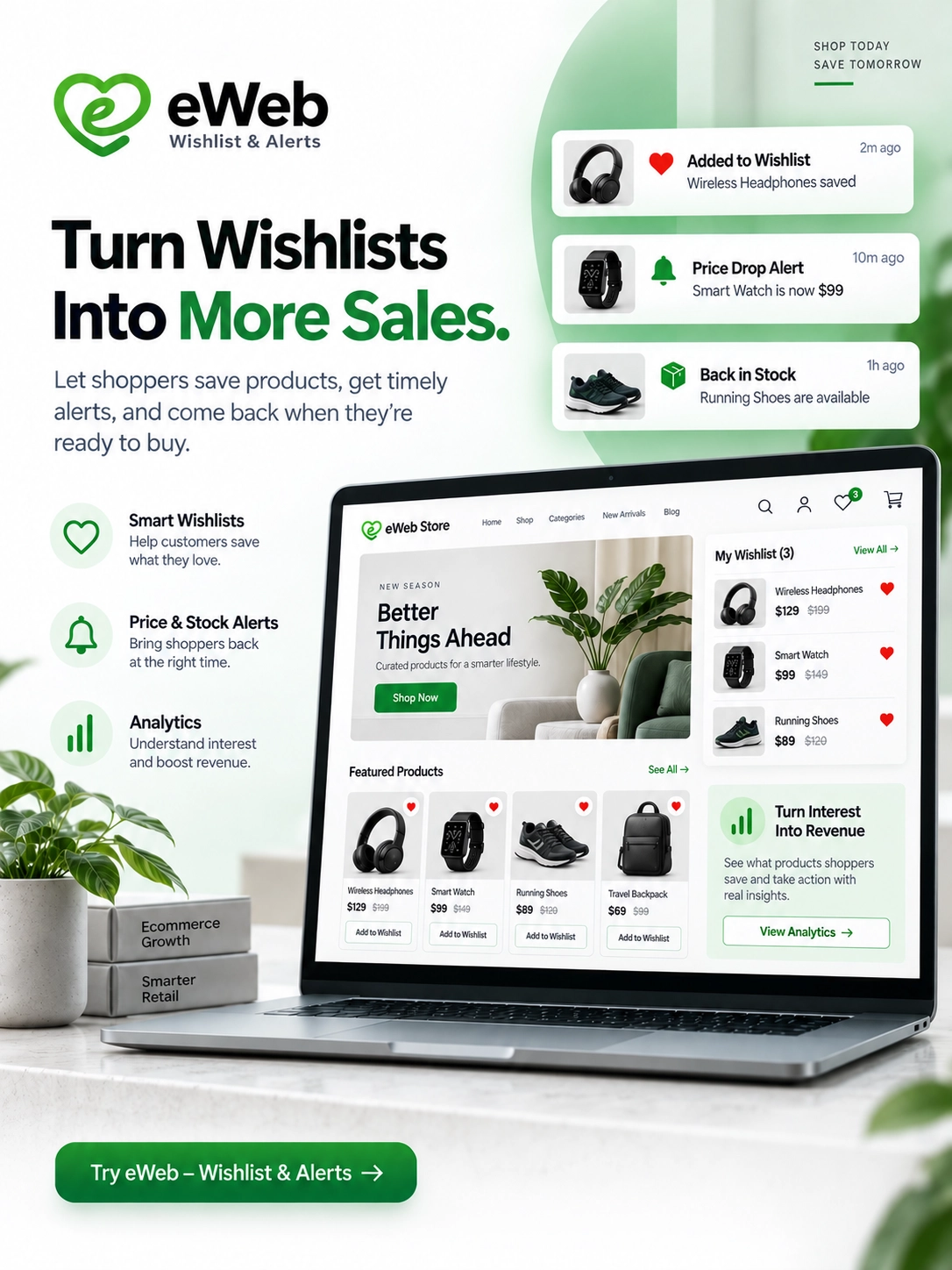
10 Best Shopify Wishlist Apps to Boost Sales & Customer Engagement in 2026

Online shoppers do not always buy the first time they visit a store. They may like a product, compare a few options, wait for payday, check another store, or simply want to come back later.
That is where a wishlist can make a real difference. They may like a product, compare a few options, wait for payday, check another store, or simply want to come back later.
That is where a wishlist can make a real difference.
A Shopify wishlist allows customers to save products they are interested in instead of losing them when they leave your store. For merchants, it can also provide useful signals about customer preferences and buying intent.
But with hundreds of wishlist-related apps available on the Shopify App Store, choosing the right one can be difficult. Shopify’s wishlist category currently includes more than 200 apps across different features such as guest wishlists, save-for-later, sharing, add-to-cart, alerts, and analytics.
In this guide, we have shortlisted 10 Shopify wishlist apps worth considering in 2026, along with their key features, strengths, limitations, and the type of store they are best suited for.
What Is a Shopify Wishlist App?
A Shopify wishlist app adds a feature that lets shoppers save products they are interested in for later.
For example, imagine a customer is browsing a fashion store. They find three dresses they like but are not ready to purchase. Instead of opening three browser tabs or trying to remember the products, they can click a heart or “Add to Wishlist” button.
Later, they can return to their wishlist, compare those products, and add one or more directly to their cart.
Depending on the app, customers may also be able to:
- Create multiple wishlists
- Save products without creating an account
- Share wishlists with friends and family
- Receive price-drop notifications
- Get back-in-stock alerts
- Move products from cart to “Save for Later”
- Add wishlist products directly to the cart
- Sync wishlists across devices
- Receive email or SMS reminders
- Create gift registries
- View saved products through their customer account
For merchants, these features can turn simple browsing activity into useful purchase-intent data.
Why Should Your Shopify Store Have a Wishlist?
A wishlist is more than just a heart icon on a product page.
When implemented properly, it can support both customer experience and sales recovery.
1. It gives customers a reason to come back
A customer who saves five products has already shown interest in your products. They are more valuable than someone who simply viewed a page and left.
A wishlist gives them an easy way to return to those products.
2. It helps reduce lost purchase opportunities
Not every visitor is ready to buy immediately.
Someone may want to:
- Compare prices
- Wait for a discount
- Discuss the purchase with someone
- Wait for payday
- Check product availability
- Decide between different variants
A wishlist gives these shoppers an easy “buy later” option.
3. It can support remarketing
Some wishlist apps can connect saved-product activity with email or SMS marketing.
For example:
Customer saves a product → product price drops → customer receives an alert → customer returns → purchase
That is much more useful than sending the same generic promotional email to every customer.
4. It improves the shopping experience
Customers do not have to search for the same products repeatedly.
This is particularly useful for stores with large product catalogs.
5. It provides valuable customer insights
If customers frequently save a particular product, collection, size, or style, that activity can provide another signal of product interest.
Merchants can use these insights when planning promotions, inventory, merchandising, and remarketing campaigns.
10 Best Shopify Wishlist Apps in 2026
Here are our top picks based on features, Shopify App Store presence, integrations, customer use cases, and the different needs of ecommerce stores.
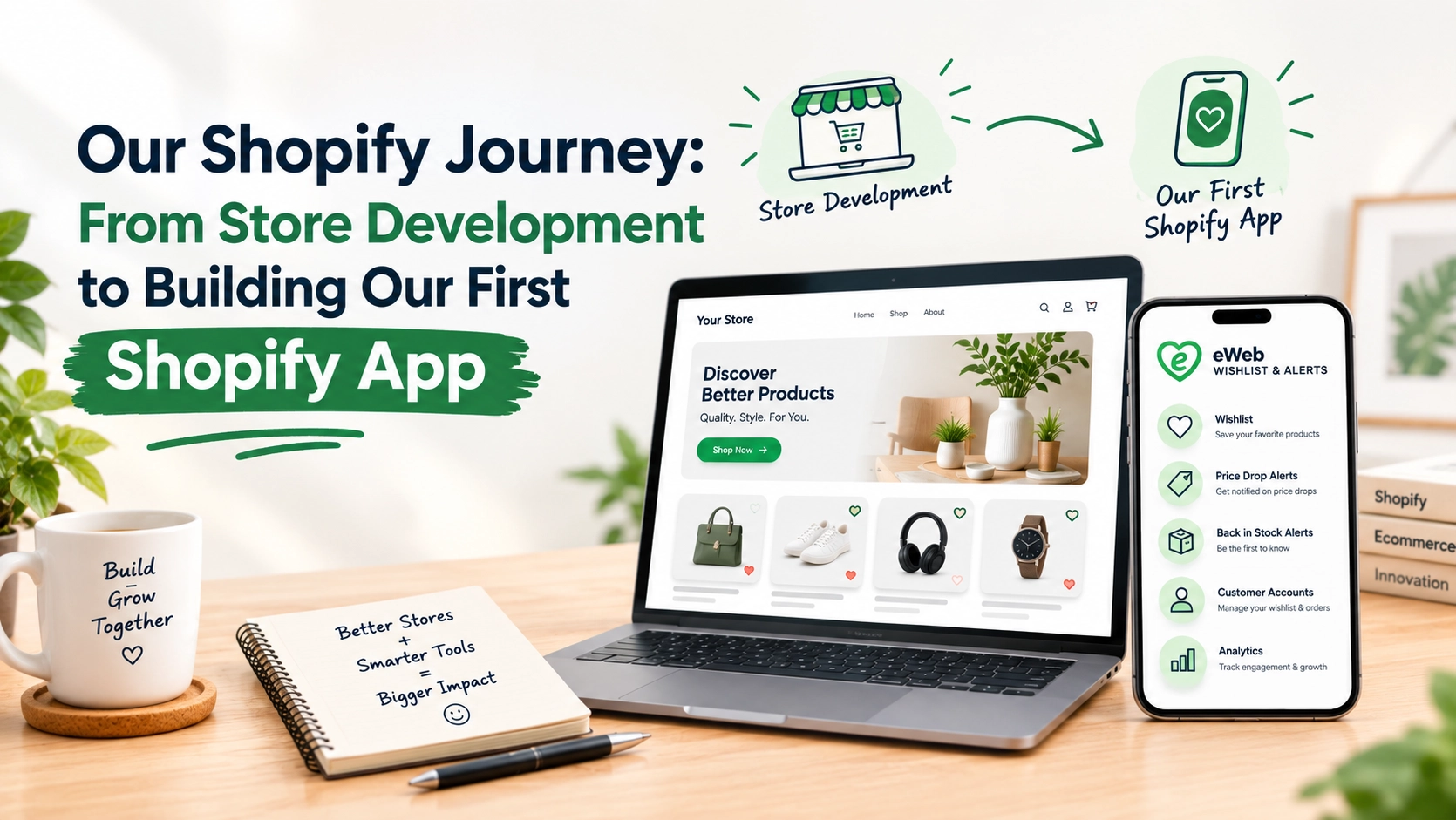
1. eWeb – Wishlist & Alerts
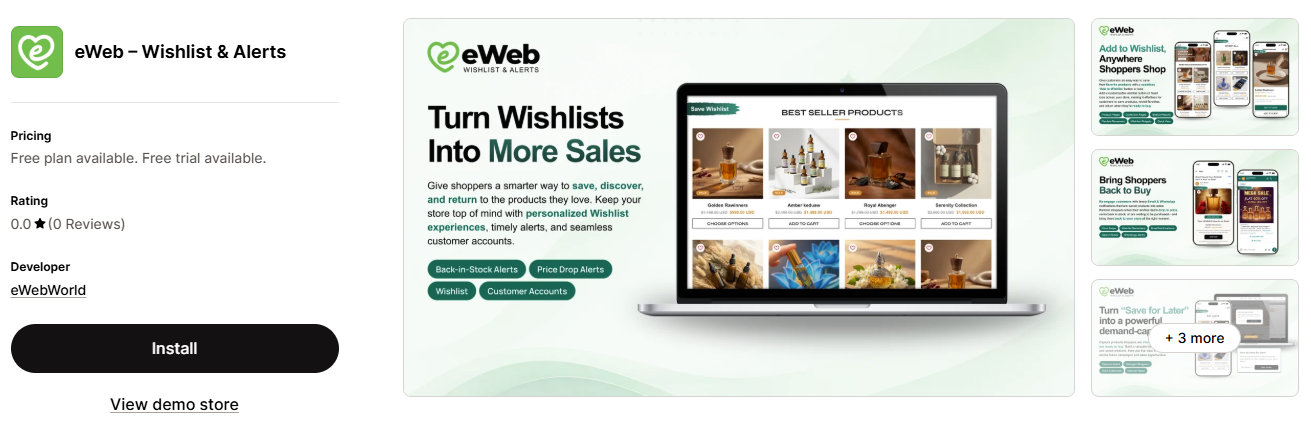
Best for: Shopify stores looking for a customizable wishlist with price-drop, back-in-stock, and customer engagement alerts.
eWeb – Wishlist & Alerts is a Shopify wishlist solution designed to help customers save products and revisit their favorites when they’re ready to shop.
The app goes beyond basic wishlist functionality by supporting guest and customer wishlists, price-drop alerts, back-in-stock notifications, low-stock alerts, wishlist reminders, and wishlist analytics. It also offers integrations with marketing platforms and tools such as Klaviyo, Mailchimp, Zapier, and webhooks.
Key benefits
- Guest and customer wishlists
- Price-drop alerts
- Back-in-stock alerts
- Low-stock notifications
- Wishlist reminders
- WhatsApp alerts
- Wishlist analytics
- Add-to-cart functionality
- Email and social sharing
- Marketing integrations
- Customizable wishlist design
Why consider it?
A wishlist should feel like a natural part of your Shopify store rather than an extra feature added on top of the shopping experience.
eWeb – Wishlist & Alerts allows merchants to customize wishlist buttons, icons, colors, layouts, and text to better match their storefront. Its alert and analytics features can also help merchants reconnect with customers who have already shown interest in specific products.
Best for
Shopify stores that want a wishlist solution with customer alerts, analytics, marketing integrations, and customization options.
2. Swym Wishlist Plus
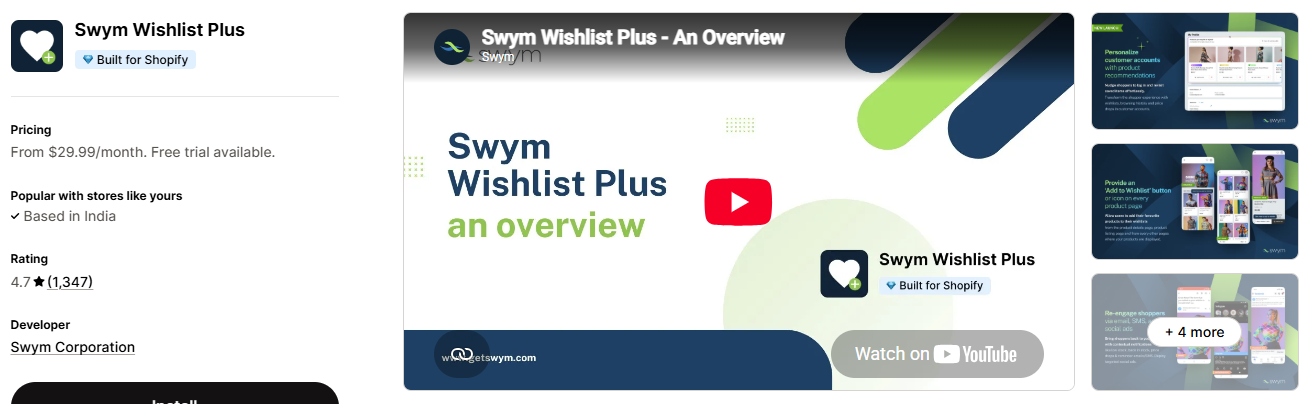
Best for: Growing and established Shopify stores that want advanced wishlist and re-engagement features.
Swym’s Wishlist Plus is one of the more established wishlist solutions available for Shopify.
The app supports features such as guest wishlists, multiple wishlists, wishlist sharing, save-for-later functionality, price-drop and restock alerts, analytics, and integrations with marketing platforms. Shopify currently lists it as Built for Shopify, with a 4.7 rating from more than 1,300 reviews.
Key features
- Guest and customer wishlists
- Multiple wishlists
- Save for Later
- Wishlist sharing
- Price-drop alerts
- Back-in-stock alerts
- Email and SMS re-engagement
- Wishlist analytics
- Customer account integration
- APIs for customization
- Shopify POS support
One particularly useful feature is the ability to connect wishlist activity with marketing campaigns. Instead of simply allowing customers to save products, merchants can use wishlist activity to bring shoppers back at a more relevant time.
Why consider it?
Swym Wishlist Plus is worth considering if you want advanced wishlist features along with automated alerts and customer re-engagement tools.
Best for
Swym is a strong option if your store has enough traffic to benefit from automated wishlist reminders, customer segmentation, and re-engagement campaigns.
3. Growave: Loyalty & Wishlist
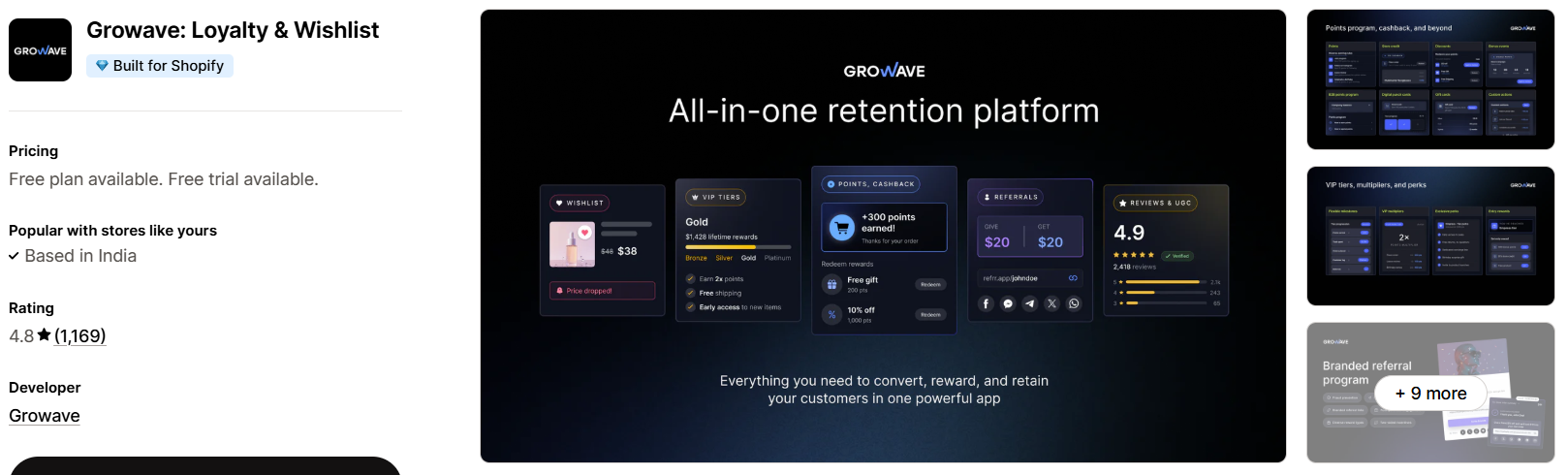
Best for: Stores that want wishlist, loyalty, reviews, and referrals in one platform.
Growave takes a different approach from a standalone wishlist app.
Instead of focusing only on wishlists, it combines wishlist functionality with loyalty programs, reviews, referrals, VIP programs, and other retention features. Shopify currently lists Growave as Built for Shopify with more than 1,100 reviews and a 4.8 rating.
Key features
- Wishlists
- Loyalty programs
- Customer reviews
- Referrals
- VIP programs
- Customer engagement tools
- Retention-focused features
Why consider it?
If you already need several customer-retention features, using an all-in-one platform can be easier than installing several separate apps.
For example, you could build a customer journey like:
Browse → Wishlist → Loyalty points → Email reminder → Purchase → Review → Referral
That makes Growave particularly interesting for DTC brands focused on repeat purchases and customer lifetime value.
Best for
Growing ecommerce brands that want more than a basic wishlist button and are looking for a broader retention solution.
4. Swish (Wishlist King)
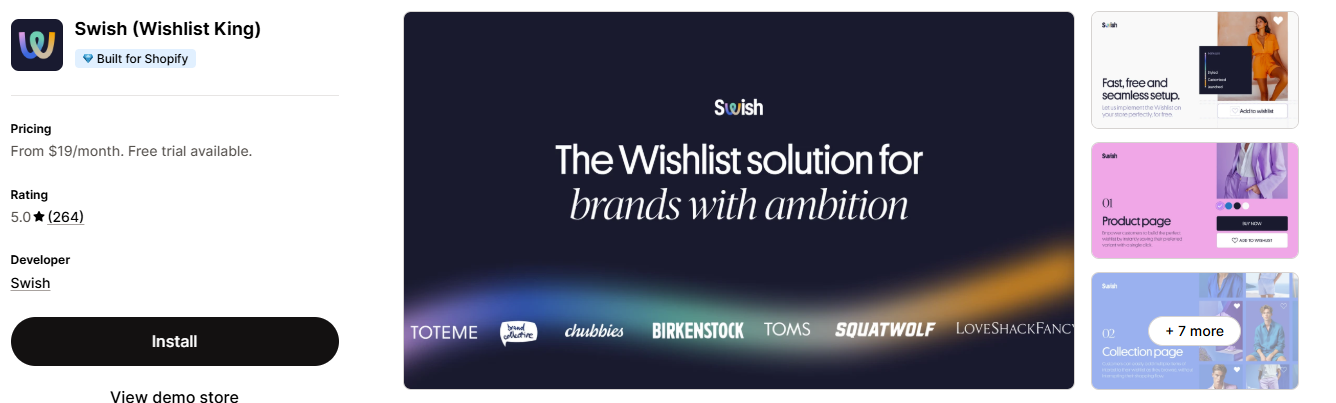
Best for: Stores looking for a highly rated, customizable wishlist experience.
Swish (Wishlist King) is another established option in Shopify’s wishlist category.
Shopify currently lists it as Built for Shopify with a 5.0 rating and more than 260 reviews.
The app focuses on creating a customized wishlist experience that fits naturally into the store instead of making the wishlist feel like a separate system.
Key benefits
- Customizable wishlist experience
- Product saving
- Customer engagement
- Return-to-store shopping
- Wishlist management
- Shopify integration
Why consider it?
For many stores, design consistency matters. A wishlist should feel like part of your Shopify theme rather than a third-party widget that looks out of place.
Best for
Brands that prioritize a polished storefront experience and want a dedicated wishlist solution.
5. Hulk AI Wishlist & Favorites
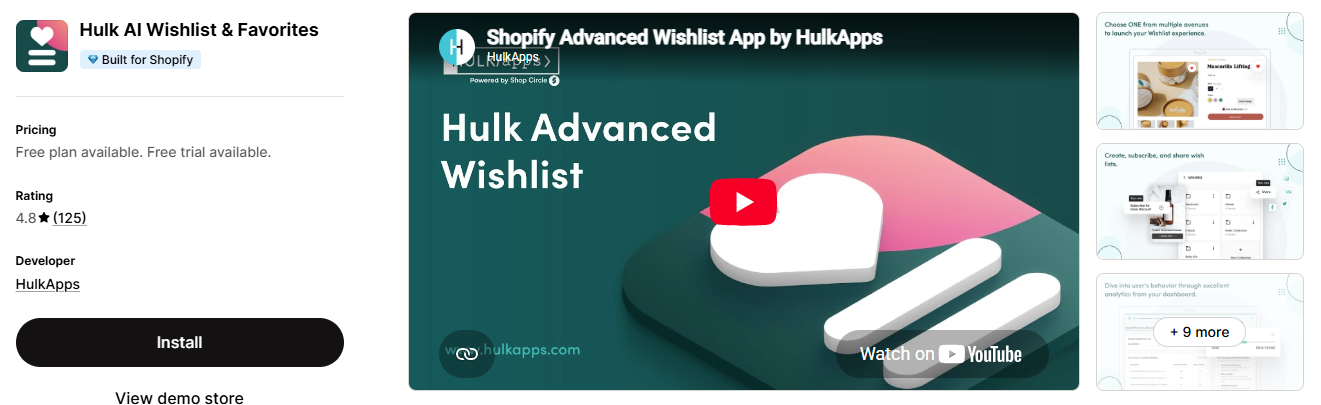
Best for: Stores that want guest wishlists, sharing, and restock-related features.
HulkApps offers Hulk AI Wishlist & Favorites, which Shopify currently lists as Built for Shopify with a 4.8 rating and more than 120 reviews.
The app is designed to help customers save products and return to them later while supporting features such as guest wishlists, sharing, and restock alerts.
Key features
- Guest wishlist
- Customer wishlist
- Shareable wishlists
- Favorites
- Restock alerts
- Wishlist management
- Theme customization
Why consider it?
Guest wishlist functionality is important because not every visitor wants to create an account before saving a product.
Reducing friction can make the wishlist feature more useful to first-time visitors.
Best for
Fashion, beauty, lifestyle, electronics, and other stores where shoppers commonly browse several products before making a decision.
6. Wishlist Hero
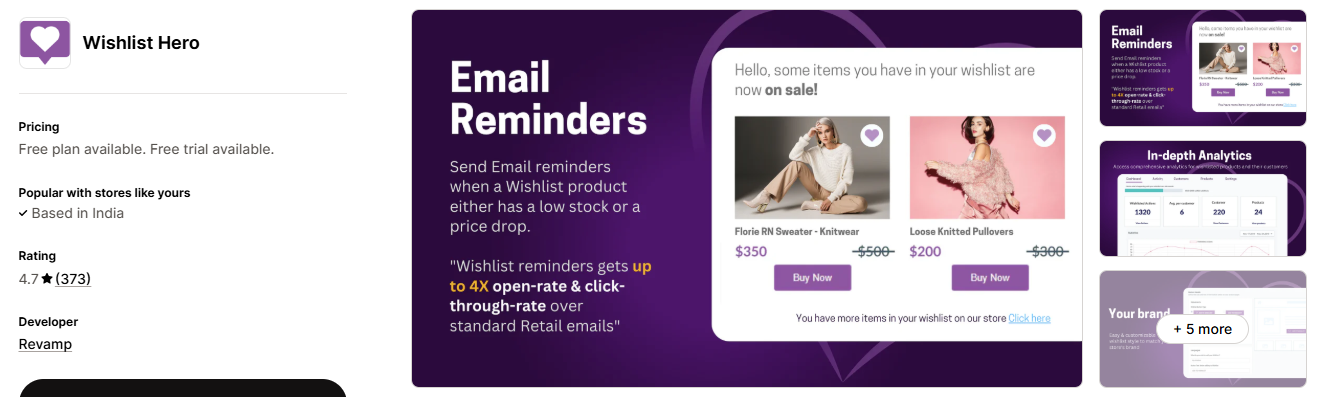
Best for: Merchants looking for a customizable wishlist with email reminders.
Wishlist Hero is another established option in Shopify’s wishlist category.
Shopify currently lists it with a 4.7 rating and more than 370 reviews.
Key features
- Wishlist functionality
- Customization options
- Email reminders
- Product saving
- Customer engagement
- Add-to-cart functionality
Why consider it?
The value of a wishlist depends heavily on what happens after a customer saves a product.
A simple wishlist that customers never revisit has limited value.
Email reminders can help turn saved products into return visits and, eventually, purchases.
Best for
Small and medium-sized Shopify stores that want a straightforward wishlist solution with customer re-engagement features.
7. Wishlist Guru: Favorites List
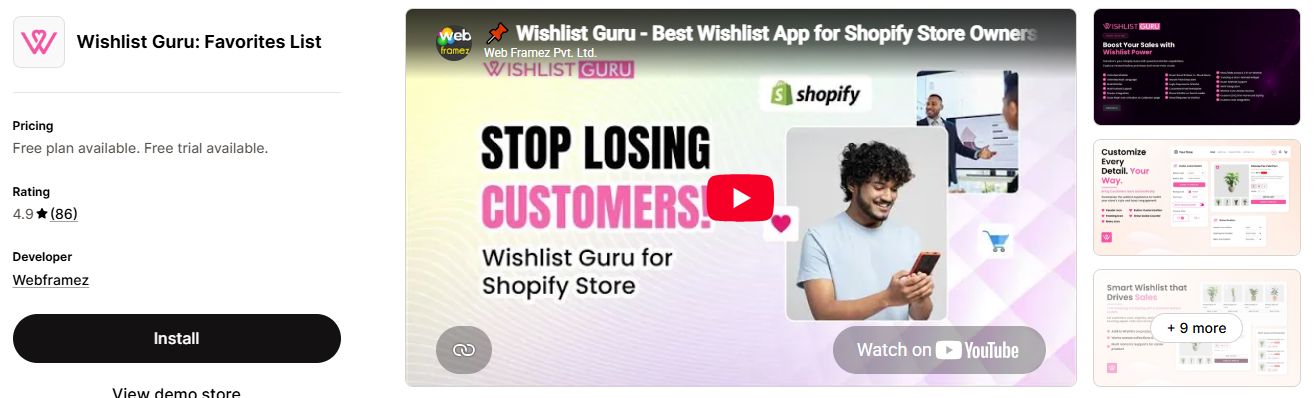
Best for: Stores that want guest wishlists, sharing, and restock alerts.
Wishlist Guru is designed around the idea of turning saved products into future purchases.
Shopify currently lists the app with a 4.9 rating and more than 80 reviews. Its listed features include guest wishlists, sharing, restock alerts, and other wishlist functionality.
Key features
- Guest wishlist
- Product favorites
- Wishlist sharing
- Restock alerts
- Add to cart
- Wishlist management
Why consider it?
For stores where products frequently sell out, a restock notification can be particularly valuable.
For example:
Customer likes product → Product sells out → Customer saves it → Product returns → Customer gets notified
That gives the merchant another opportunity to recover the sale.
Best for
Fashion, footwear, collectibles, beauty, and other stores where popular products may temporarily go out of stock.
8. Wishlist - Wishify
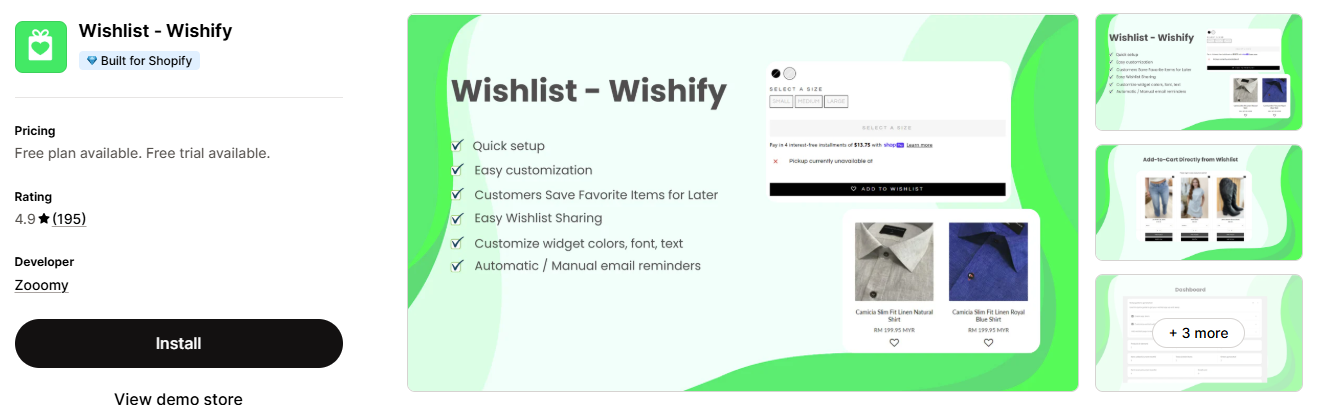
Best for: Stores looking for a simple wishlist solution with a strong Shopify App Store presence.
Wishify focuses on a straightforward customer wishlist experience.
Shopify currently lists it as Built for Shopify with a 4.9 rating and nearly 200 reviews.
Key features
- Save favorite products
- Wishlist management
- Customer-friendly interface
- Add products to wishlist
- Return to saved products
- Shopify theme integration
Why consider it?
Not every Shopify store needs advanced marketing automation.
If your main goal is simply to give shoppers a convenient way to save products and return later, a simpler app may be easier to manage.
Best for
Small businesses and stores that want essential wishlist functionality without building a complicated retention system.
9. Wishlist by Square
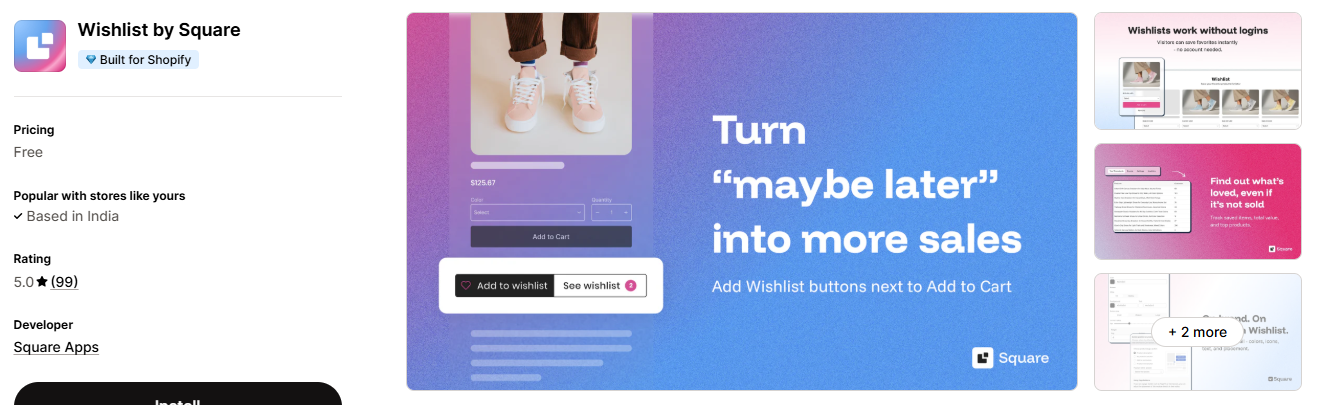
Best for: Merchants looking for a straightforward, free wishlist option.
Wishlist by Square is currently listed in Shopify’s Built for Shopify wishlist category with a 5.0 rating and more than 90 reviews. Shopify describes it as helping shoppers save and buy their favorite products later.
Key features
- Save favorite products
- Buy later
- Wishlist functionality
- Shopify integration
- Free availability
Why consider it?
If you are testing whether a wishlist makes sense for your store, starting with a simpler solution can be practical.
You can monitor whether shoppers actually use the feature before investing in more advanced automation.
Best for
New Shopify stores, smaller catalogs, and merchants who want to test wishlist functionality without adding a significant recurring cost.
10. Wishlist Monk
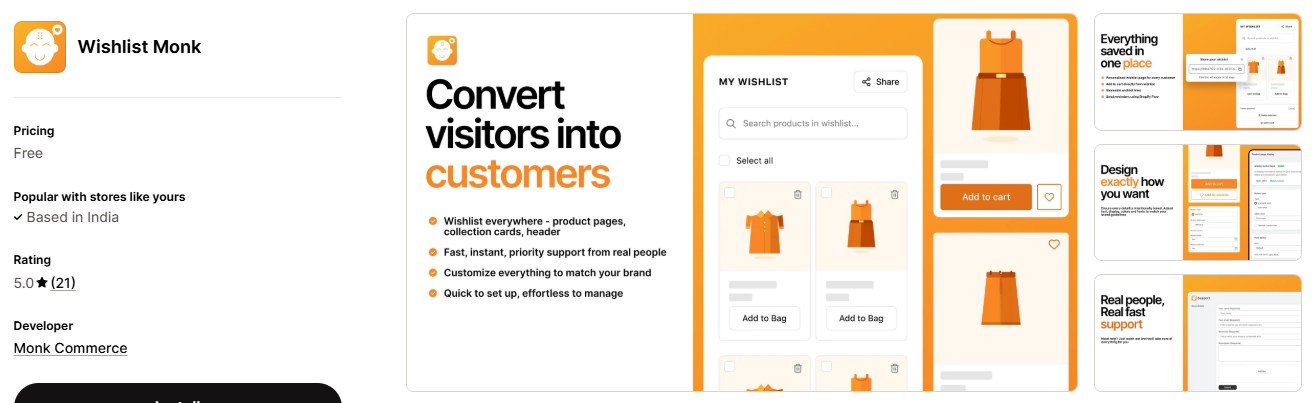
Best for: Stores looking for personalized wishlist functionality.
Wishlist Monk positions itself around turning customer purchase intent into revenue.
Shopify currently lists it with a 5.0 rating and features focused on personalized wishlists.
Key features
- Product wishlists
- Personalized shopping experience
- Saved products
- Customer engagement
- Purchase-intent focused functionality
Why consider it?
A wishlist is valuable because it captures something stronger than a page view: the customer deliberately chose to save a product.
That information can be useful when building personalized customer journeys.
Best for
Stores that want to experiment with personalization and use saved-product activity as part of their customer engagement strategy.
Quick Comparison of the 10 Shopify Wishlist Apps
| App | Best For | Guest Wishlist | Alerts | Sharing | Free Option |
|---|---|---|---|---|---|
| eWeb – Wishlist & Alerts | Wishlist + alerts + analytics | Yes | Price drop, back in stock, low stock | Yes | Free plan |
| Swym Wishlist Plus | Advanced stores | Yes | Yes | Yes | Trial |
| Growave | Loyalty + wishlist | Yes | Yes | Yes | Free plan |
| Swish (Wishlist King) | Custom experiences | Yes | Depends on plan/features | Yes | Trial |
| Hulk AI Wishlist & Favorites | Guest + restock | Yes | Restock | Yes | Free plan |
| Wishlist Hero | Wishlist + reminders | Yes | Email reminders | Yes | Free plan |
| Wishlist Guru | Guest + restock | Yes | Restock | Yes | Free plan |
| Wishify | Simple wishlist | Yes | Basic/plan dependent | Yes | Free plan |
| Wishlist by Square | Simple/free option | — | — | — | Free |
| Wishlist Monk | Personalized wishlists | — | — | — | Free |
Features and pricing can change, so check the current Shopify App Store listing before installing an app. Shopify’s wishlist category is actively changing, and current listings show hundreds of apps with different feature combinations.
How to Choose the Right Shopify Wishlist App
Choosing the app with the highest rating is not always the best approach.
Your store’s requirements should come first.
Here are the most important things to check.
1. Guest Wishlist Support
Do customers need to create an account before saving products?
Ideally, shoppers should be able to save products with minimal friction.
Guest wishlist support can be particularly useful for stores with many first-time visitors.
2. Wishlist Sharing
Sharing can turn a private wishlist into a source of additional traffic.
For example, a customer can share a wishlist for:
- Birthdays
- Weddings
- Holidays
- Baby showers
- Special occasions
- Gift recommendations
If your products are gift-friendly, wishlist sharing can be especially valuable.
3. Price-Drop Notifications
A customer may save a product because they like it but feel the price is too high.
A price-drop notification gives you an opportunity to bring that customer back when the product becomes cheaper.
4. Back-in-Stock Alerts
If products frequently sell out, this feature should be high on your list.
A wishlist combined with a restock notification can help recover customers who would otherwise move on to another store.
5. Email and SMS Integrations
If you already use tools such as Klaviyo or other marketing platforms, check whether the wishlist app integrates with your existing setup.
For example:
Wishlist Added → Customer Segment → Reminder → Price Drop → Purchase
This creates a much more useful retention workflow than simply storing a product in a wishlist.
Swym, for example, supports integrations and automated wishlist-related email/SMS campaigns.
6. Analytics
A good wishlist app should ideally tell you more than the number of products saved.
Look for information such as:
- Most-wishlisted products
- Number of wishlist additions
- Wishlist-to-cart activity
- Wishlist conversions
- Customer behavior
- Product demand signals
This information can support merchandising and marketing decisions.
7. Theme Compatibility
Before installing any app, check how it works with your Shopify theme.
The wishlist button should look natural on:
- Product pages
- Collection pages
- Quick-view windows
- Search results
- Customer accounts
A poorly integrated wishlist can make an otherwise professional store look inconsistent.
8. Performance
Do not overlook website performance.
Adding too many third-party apps can increase JavaScript, network requests, and page complexity.
Before installing a wishlist app, check whether it affects:
- Page loading
- Core Web Vitals
- Mobile performance
- Product page interaction
- Theme functionality
A wishlist should improve the customer experience—not slow down the store.
How to Use a Wishlist to Actually Increase Sales
Installing a wishlist app alone will not automatically increase revenue.
The real opportunity comes from what you do with the saved-product data.
Here are a few practical strategies.
Strategy 1: Send a Wishlist Reminder
Customer saves a product but does not purchase.
After an appropriate period, send a reminder:
“Still thinking about this?”
Show the saved product and provide a direct link back to it.
Strategy 2: Notify Customers About Price Drops
If a product in a customer’s wishlist goes on sale, let them know.
For example:
“Good news! An item on your wishlist is now 20% off.”
This message is more relevant than a generic sale announcement.
Strategy 3: Use Back-in-Stock Alerts
When an out-of-stock product returns, notify customers who saved it.
This works especially well for limited-stock products.
Strategy 4: Promote Wishlist Sharing
Add a visible sharing option.
Customers can send their wishlist to friends and family instead of individually sending product links.
This can be useful during seasonal shopping and gifting periods.
Strategy 5: Use Wishlist Data for Merchandising
Suppose 500 customers have saved Product A, while only 30 customers have saved Product B.
That difference may indicate stronger customer interest in Product A.
You can use this information alongside your sales and inventory data when deciding which products to promote or restock.
Wishlist vs Add to Cart: What's the Difference?
These two features serve different customer intentions.
| Add to Cart | Wishlist |
|---|---|
| Customer is closer to buying | Customer is interested but not ready |
| Usually indicates stronger immediate intent | Indicates future purchase intent |
| Leads toward checkout | Encourages return visits |
| Shorter buying journey | Longer buying journey |
| Focused on current purchase | Focused on current purchase |
A wishlist should therefore not replace the Add to Cart button.
Instead, both should work together.
A typical product page might have:
- Add to Cart → “I want to buy this now.”
- Add to Wishlist → “I like this and may buy it later.”
That distinction can make the shopping experience more comfortable for customers.
Final Thoughts
A wishlist may look like a small feature, but it can play an important role in the Shopify customer journey. It gives shoppers a convenient way to save products they are interested in while giving merchants opportunities to bring those customers back through reminders, price-drop alerts, restock notifications, and re-engagement campaigns.
eWeb – Wishlist & Alerts is a strong option for Shopify stores that want more than basic wishlist functionality. With features such as guest and customer wishlists, price-drop alerts, back-in-stock notifications, low-stock alerts, wishlist reminders, analytics, and marketing integrations, it can help merchants turn saved products into meaningful customer engagement opportunities.
For stores looking for advanced wishlist and marketing automation, Swym Wishlist Plus is another option worth considering. Growave can be a good fit for brands that want wishlist functionality alongside loyalty, reviews, and referrals. If guest wishlists and restock functionality are priorities, Hulk AI Wishlist & Favorites or Wishlist Guru may be suitable choices. For stores looking for simpler wishlist solutions, Wishify or Wishlist by Square can be worth exploring.
Most importantly, don’t choose an app simply because it has a high rating. Consider your store size, customer journey, product type, marketing strategy, theme compatibility, performance requirements, and budget.
The right wishlist app should fit naturally into your Shopify store and help move customers from:
“I like this product” → “I’ll save it” → “I’ll come back” → “I’ll buy it.”
People Also Ask
1. Can customers use a Shopify wishlist without creating an account?
Yes. Many Shopify wishlist apps support guest wishlists, allowing shoppers to save products without creating an account. This can reduce friction for first-time visitors.
2. Do Shopify wishlist apps send price-drop notifications?
Some do. Apps such as eWeb – Wishlist & Alerts support price-drop and restock alerts, while other apps may offer similar features depending on their plans and settings.
3. Can customers share their Shopify wishlists?
Yes. Many wishlist apps support sharing through links, email, social platforms, or other methods. This can be especially useful for gift-oriented stores and seasonal shopping.
4. Do wishlist apps slow down Shopify stores?
They can, depending on how they are built. Test your store, especially on mobile, and avoid apps with unnecessary features.
5. Can a wishlist increase Shopify sales?
A wishlist can support sales by helping customers save products for later. Features such as price-drop alerts, restock notifications, and reminder emails can also encourage customers to return and complete a purchase.
6.Is a wishlist useful for a small Shopify store?
Yes. It helps customers save products and return later. Start with basic features and upgrade as your store grows.
7. How many Shopify wishlist apps should I install?
Usually, one is enough. Multiple wishlist apps can add unnecessary scripts and affect store performance.

About The Author
Akshita Dubey is an SEO Executive at eWebWorld with expertise in search intent analysis and content optimization. She focuses on creating user-centric content that simplifies complex technology topics, helping businesses and decision-makers understand web development, mobile apps, and digital solutions through clear, research-based insights.
Search
Popular Posts

Follow us

Recent Posts
About eWebWorld
eWebWorld is a Shopify and eCommerce development company in India with 10+ years of experience building and scaling online stores. We specialize in Shopify development, including store setup, customizations, theme development, migrations, integrations, and performance optimization. Through our expertise in eCommerce, technology, and digital marketing, we help businesses create better online experiences and achieve sustainable growth.