Why Customers Leave Your Store Without Buying — And What You Can Do
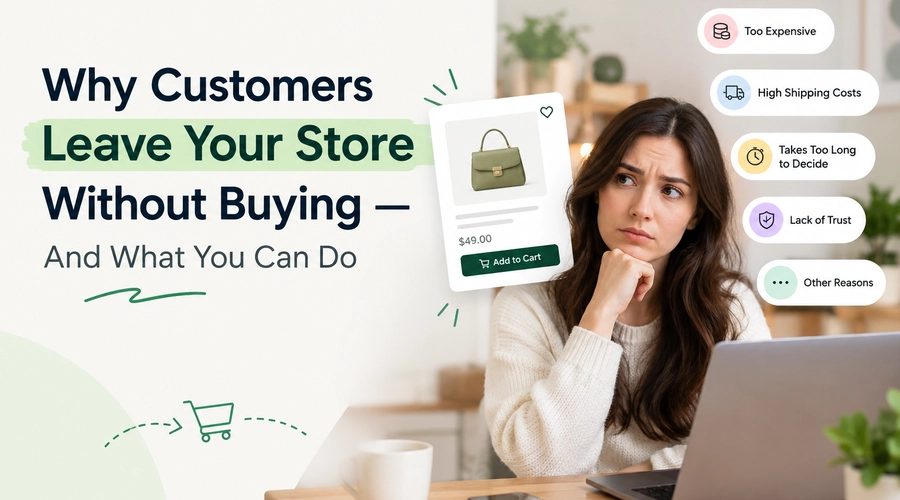
Getting visitors to your online store is only half the job.
The harder part is convincing them to stay, trust your brand, and actually complete a purchase.
A customer might browse several products, spend a few minutes on your website, add something to their cart—and still leave without buying.
Sound familiar?
The good news is that not every visitor who leaves is a lost customer. Some need more time, some are comparing options, and others may simply run into friction during their shopping journey.
The key is understanding why customers leave without buying and making it easier for them to come back when they’re ready.
Let’s look at the most common reasons.
1. Your Website Takes Too Long to Load
Nobody likes waiting for a website to load.
If a product page takes too long to appear, images keep loading, or the website feels slow when customers scroll and click, visitors may simply leave.
This is especially important for mobile shoppers, who make up a significant part of online traffic.
What you can do:
- Compress large product images.
- Remove unnecessary apps, plugins, and scripts.
- Use optimized images and modern formats where possible.
- Minimize unnecessary animations.
- Check your website’s Core Web Vitals regularly.
- Make sure your mobile experience is fast and responsive.
A faster store creates less friction between browsing and buying.
2. Customers Don't Trust Your Store Yet
Imagine finding a product you’ve never seen before on a website you’ve never used.
Would you immediately enter your card details?
Probably not.
Before purchasing, customers often look for signals that tell them a store is legitimate and reliable.
These can include:
- Customer reviews
- Product ratings
- Clear contact information
- Return and refund policies
- Secure payment options
- Shipping information
- FAQs
- Customer testimonials
- Trust badges
What you can do:
Make important trust information easy to find.
Don’t make customers search through your entire website to figure out who you are, how shipping works, or what happens if they want to return something.
Your store should answer these questions before customers have to ask.
3. Product Information Isn't Clear Enough
A customer shouldn’t have to guess what they’re buying.
If your product page has only a few photos and a short description, shoppers may leave because they don’t have enough information to decide.
For example, depending on the product, they may want to know:
- What are the dimensions?
- What material is it made from?
- Which size should I choose?
- How does it work?
- What’s included?
- How long will delivery take?
- Can I return it?
What you can do:
Build product pages around the questions customers actually have.
Include:
High-quality images + useful descriptions + specifications + reviews + shipping information + return details.
The goal isn’t to write the longest product description.
It’s to give customers enough information to feel confident about buying.
4. The Checkout Process Is Too Complicated
A customer can be completely ready to buy and still abandon their purchase if checkout becomes frustrating.
Too many steps, unnecessary form fields, forced account creation, confusing navigation, or unexpected charges can make customers reconsider.
What you can do:
Keep checkout as simple as possible.
- Allow guest checkout.
- Reduce unnecessary form fields.
- Offer multiple payment methods.
- Clearly show shipping costs.
- Display the final price before payment.
- Make error messages easy to understand.
- Optimize checkout for mobile users.
Every unnecessary step gives customers another opportunity to leave.
5. Unexpected Costs Appear at Checkout
This is one of the most frustrating experiences for online shoppers.
A customer sees a product for ₹1,999, decides to buy it, and then discovers an additional shipping fee, handling charge, or other cost at checkout.
Suddenly, the purchase doesn’t feel as attractive.
What you can do:
Be transparent about costs.
If shipping charges apply, communicate them early.
You can also consider:
- Free shipping above a certain order value
- Flat-rate shipping
- Shipping calculators
- Clear delivery estimates
- Promotional free-shipping offers
The important thing is to avoid surprising customers at the final step.
6. Customers Aren't Ready to Buy Yet
This is something many eCommerce businesses overlook.
A customer can genuinely like your product without being ready to purchase it immediately.
Maybe they’re:
- Comparing prices
- Waiting for payday
- Waiting for a sale
- Discussing the purchase with someone
- Not sure which product to choose
- Planning to buy later
If they leave, that doesn’t necessarily mean they aren’t interested.
What you can do:
Give interested customers a way to save what they found.
A wishlist lets shoppers save products for later instead of forcing them to make an immediate purchase decision.
This is particularly useful for customers who aren’t ready to buy today but don’t want to lose track of a product.
You can also use relevant reminders, such as:
- Price-drop alerts
- Back-in-stock alerts
- Wishlist reminders
- Email notifications
- WhatsApp alerts
Instead of treating every exit as a lost sale, you create an opportunity to bring interested shoppers back when the timing is right.
7. There's No Reason to Come Back
Think about your own shopping habits.
You visit a website, look at a product, leave—and a few days later, you completely forget about it.
Your customers do the same.
Even if they liked your product, they’re seeing dozens of other brands and products every day.
What you can do:
Create useful reasons for customers to return.
Depending on your business, you can use:
- Email marketing
- Wishlist reminders
- Price-drop notifications
- Back-in-stock alerts
- Personalized recommendations
- Retargeting campaigns
- Limited-time offers
The goal isn’t to bombard customers with messages.
It’s to stay relevant until they’re ready to purchase.
8. Your Website Isn't Mobile-Friendly
A customer may have a completely different experience on their phone compared with your desktop website.
Small buttons, difficult navigation, slow-loading pages, pop-ups covering the screen, or a complicated checkout can quickly push mobile shoppers away.
What you can do:
Test your entire buying journey on an actual smartphone.
Check:
Homepage → Product page → Add to cart → Cart → Checkout → Payment
Look at every step from the customer’s perspective.
Can they easily:
- Find products?
- Select variants?
- Read descriptions?
- Add products to their cart?
- Apply coupons?
- Complete payment?
If not, there’s probably friction that needs to be fixed.
9. Customers Can't Find What They're Looking For
Sometimes customers leave simply because your store makes finding products difficult.
If your navigation is confusing or your search function doesn’t return useful results, shoppers may give up.
What you can do:
Improve your store’s product discovery with:
- Clear categories
- Simple navigation
- Search suggestions
- Filters
- Product sorting
- Relevant search results
- Related product recommendations
The easier it is to find the right product, the fewer customers you’ll lose during browsing.
10. Your Offers Aren't Clear
Sometimes the problem isn’t that you don’t have an offer.
It’s that customers don’t notice it.
If you’re offering free shipping, a discount, a bundle, or a limited-time promotion, make the benefit easy to understand.
Instead of making customers hunt for the offer, communicate it clearly across relevant parts of the shopping journey.
For example:
Free shipping on orders above ₹2,000
is much clearer than simply displaying:
SPECIAL OFFER
Clear communication helps customers understand what they’re getting and why it matters.
Don't Focus Only on Getting Customers Back
When an online store has a high number of visitors but relatively few purchases, the solution isn’t always “get more traffic.”
Sometimes the better question is:
“Where are we losing the customers we already have?”
Look at your customer journey.
Are visitors leaving on product pages?
Are they adding products to their cart but abandoning checkout?
Are they browsing multiple products without taking any action?
Are returning customers coming back?
Your analytics can help identify where customers are dropping off.
Once you know the problem, you can work on the right solution instead of making random changes to your website.
Turn "Maybe Later" Into Another Opportunity
Not every customer will buy during their first visit.
And that’s okay.
The goal isn’t to force every visitor to purchase immediately.
It’s to make your store easy to trust, easy to use, and easy to return to.
A customer who leaves today could come back tomorrow because they found the information they needed, received a price-drop alert, noticed that their saved product is back in stock, or simply decided they’re finally ready to buy.
The first visit doesn’t always have to end with a purchase.
Sometimes, it just needs to create a reason for the customer to come back.
Final Thoughts
Customers leave online stores for many different reasons—from slow websites and confusing navigation to unexpected costs and simply not being ready to buy.
The solution isn’t one magic feature.
It’s about removing friction throughout the customer journey.
Make your store:
- Faster
- Easier to navigate
- More trustworthy
- More informative
- Mobile-friendly
- Transparent about costs
- Easier to return to
And most importantly, give interested customers a way to stay connected with products they aren’t ready to buy yet.
Because when a customer says, “I’ll come back later,” you shouldn’t have to hope they remember where they found you.
People Also Ask
1. Why do customers leave an online store without buying?
Customers may leave because of slow loading speeds, unclear product information, complicated checkout, unexpected costs, lack of trust, poor mobile experience, or because they simply aren’t ready to buy yet.
2. How can I reduce customers leaving my online store?
Improve website speed, simplify navigation and checkout, provide detailed product information, display reviews and trust signals, make pricing transparent, and offer ways for customers to save products for later.
3. Why do customers add products to their cart but not buy?
Customers may abandon their cart because of unexpected shipping costs, complicated checkout, limited payment options, comparison shopping, or because they need more time to decide.
4. How can a wishlist help customers who aren't ready to buy?
A wishlist allows customers to save products they’re interested in without purchasing immediately. They can return to their saved products later, while stores can use relevant reminders such as price-drop and back-in-stock alerts.
5. How can I bring customers back to my online store?
You can bring interested customers back through email campaigns, personalized recommendations, retargeting, wishlist reminders, price-drop alerts, back-in-stock alerts, and relevant offers.
6. Does website speed affect online sales?
Yes. A slow website can create friction during browsing and checkout, particularly for mobile shoppers. Improving page speed can make the shopping experience smoother and reduce opportunities for visitors to leave.
7. What information should a product page include?
A product page should provide clear product descriptions, high-quality images, specifications, pricing, availability, shipping information, return policies, and customer reviews where available.
8. How can I make my checkout process easier?
Keep checkout simple by reducing unnecessary fields, offering guest checkout, providing multiple payment methods, clearly displaying shipping costs, and ensuring the process works smoothly on mobile devices.
9. Why do customers browse but not purchase?
Browsing without purchasing can happen when customers are researching products, comparing prices, waiting for a sale, unsure about their choice, or planning to purchase later. Not every store visit is intended to result in an immediate purchase.
10. How can eCommerce stores convert more visitors into customers?
Focus on reducing friction across the customer journey. Improve website speed, product discovery, trust signals, product information, checkout, mobile usability, and follow-up opportunities for customers who aren’t ready to purchase immediately.

About The Author
Rishika Pawar is a Digital Marketing Specialist at eWebWorld with expertise in SEO, content strategy, and AI-first search optimization. She researches emerging technologies and collaborates with software engineers, UI/UX designers, and app developers to create comprehensive, research-backed content on mobile app development, web technologies, and digital transformation. Her work focuses on delivering accurate, user-first information that aligns with Google’s EEAT guidelines and modern AI search experiences.
Search
Popular Posts
Follow us

Recent Posts
About eWebWorld
eWebWorld is a Shopify and eCommerce development company in India with 10+ years of experience building and scaling online stores. We specialize in Shopify development, including store setup, customizations, theme development, migrations, integrations, and performance optimization. Through our expertise in eCommerce, technology, and digital marketing, we help businesses create better online experiences and achieve sustainable growth.